From one chat line to a quote — a skill in the pipeline
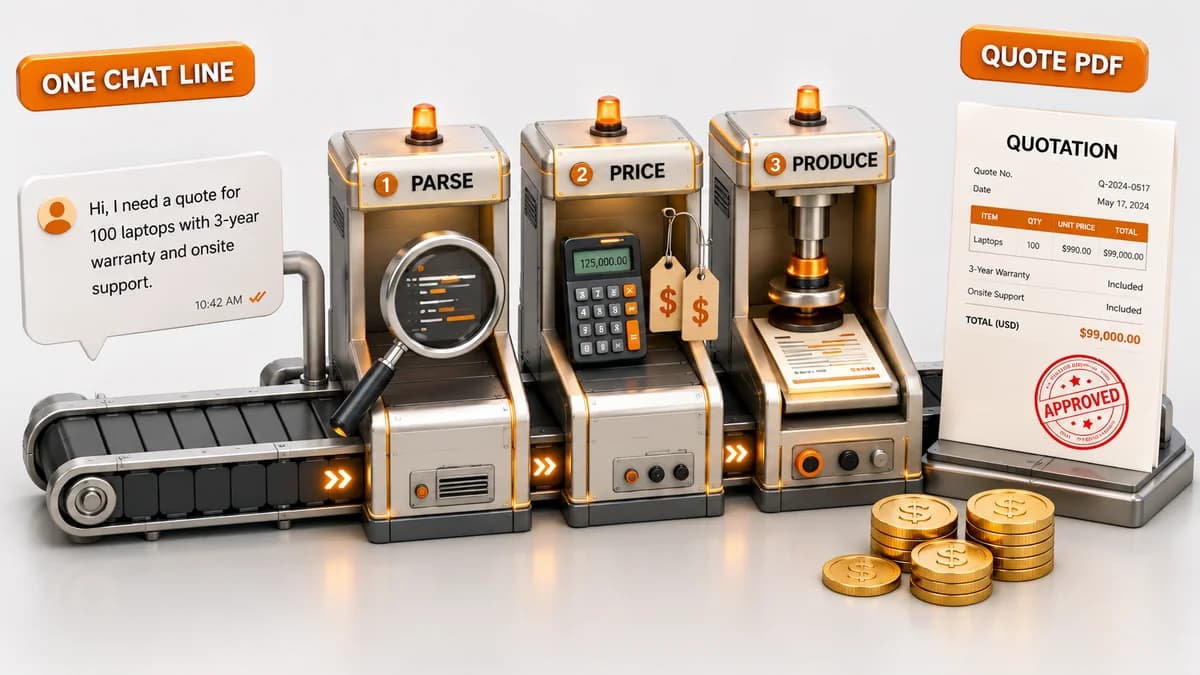
Sales has a flow. A lead comes in, a call qualifies it, you quote, you send, you close. Of these, the quote is the step that eats the most hands-on time. Open the sheet, copy the template, fill in the company, line items, unit prices, check the total formula, export a PDF, attach it to an email, add the signature — a person repeats the same motions every time.
So we set out to build a "quote generator." But partway through, we realized the direction was slightly off. What we needed wasn't a separate tool that spits out quotes — it was a skill that steps through that one square inside the flow you already work in.
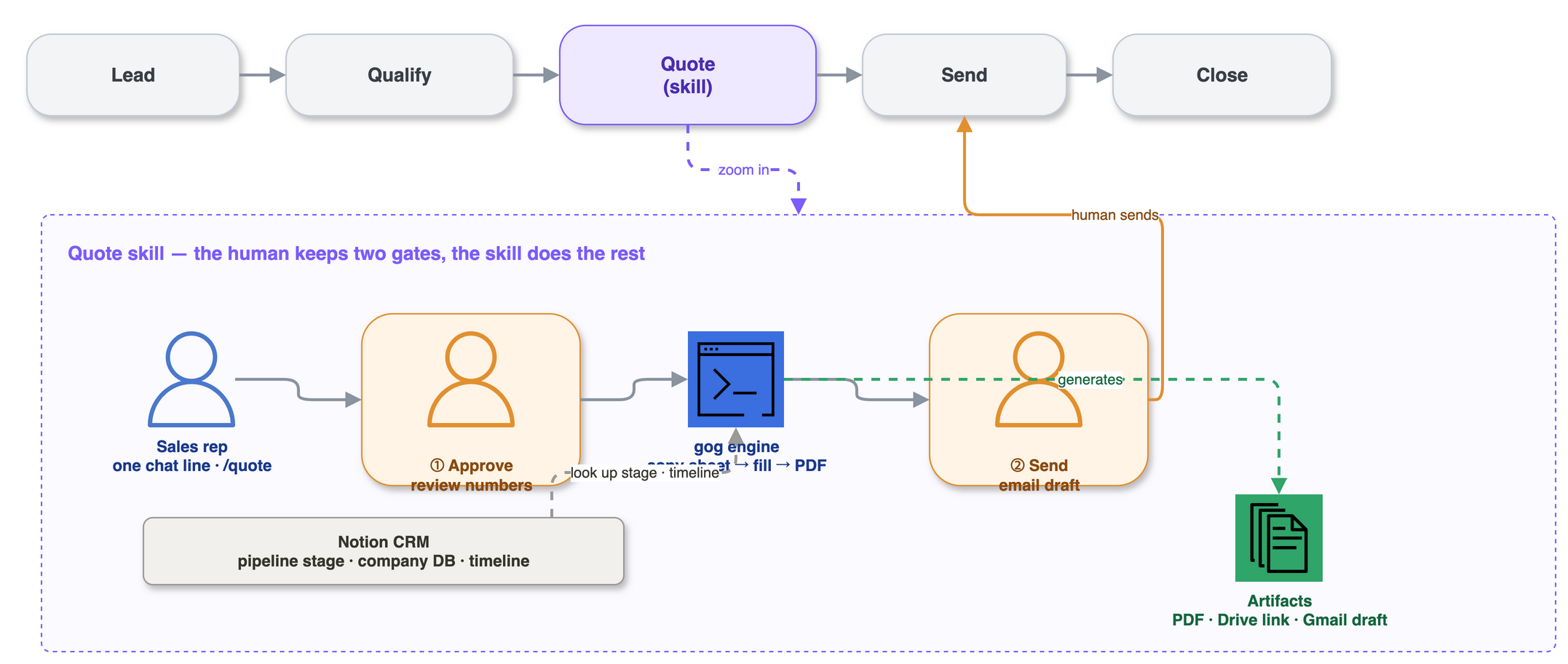
A skill, not a tool
Why a skill and not an app? Build an app and the person has to "go to that app to make a quote" — another window, another login. A skill is the opposite. From where you already work (chat), one line of natural language is enough.
"○○ Inc., Mr. Kim, chrome-extension fix ₩5M, email boss@example.com" — throw that after the slash command /quote and the skill pulls out the recipient, line items, and unit prices on its own. Anything missing, it asks for in one batch. You don't go find a tool; you call it from where you already are.
The two gates the human keeps
What's scary about automation is "something going out wrong after it leaves human hands." So this skill nails down two moments the human must keep, as gates.
① Approve the numbers. Even after it extracts the info, the skill doesn't build right away. It computes the supply amount, VAT (10%), and total, shows them as a table, and stops. Only when the person checks the numbers and says "go" does generation run. Before approval, no file is created at all.
② Send the email. If you want the email too, the skill builds a draft — PDF attached, signature included. That's exactly where it stops. It never sends automatically. The recipient, subject, and wording get a final review by the person in Gmail, who sends it themselves.
The two gates aren't an accident; they're the design. How much to quote, who to send it to: the two moments that carry real weight stay with the human, and only the mechanical work between them goes to the skill. Human-in-the-loop wasn't bolted on later; it was drawn that way from the start.
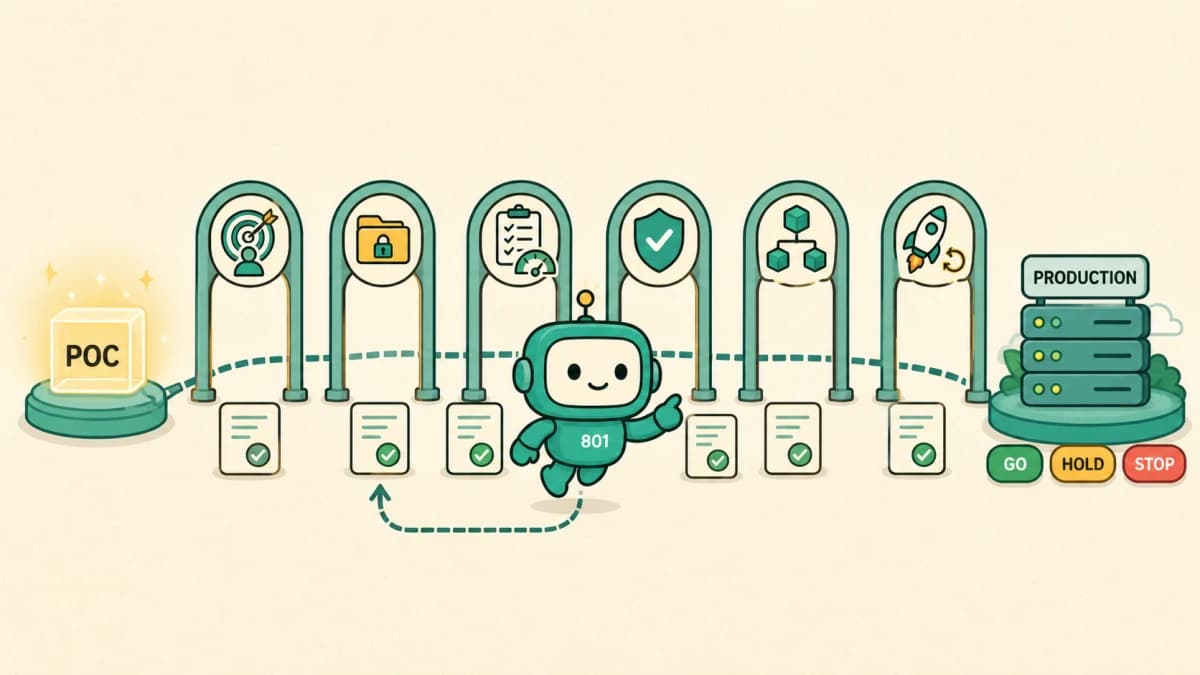
Making ownership and stop conditions explicit follows the same principle as the six gates for moving an AI PoC into production.
The skill handles the mechanical middle
That "middle" runs without a dedicated application server or Apps Script; it centers on a CLI called gog.
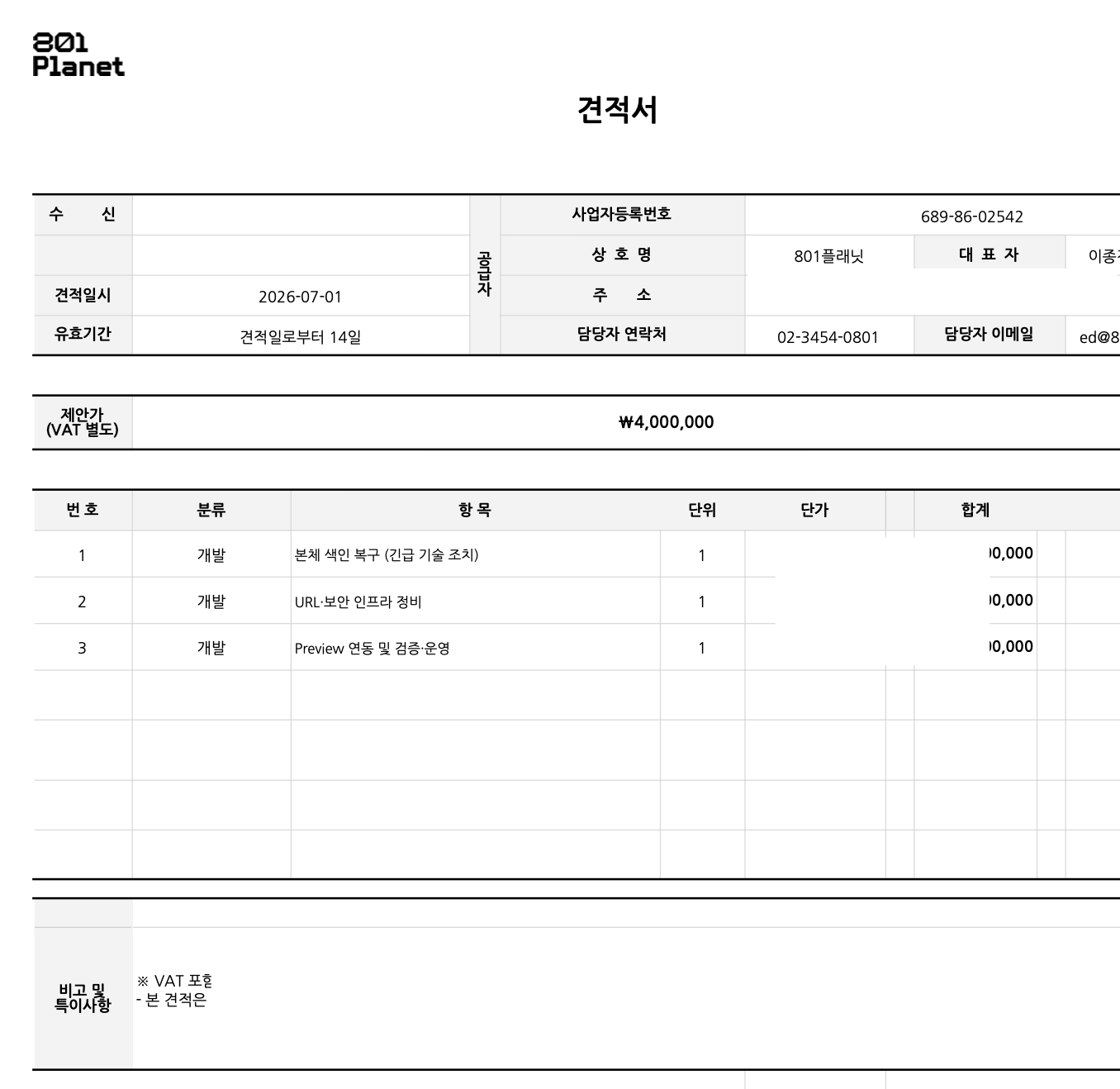
The quote form itself isn't something we built from scratch. We internalized it from a quote template Bolta provided. The skill handles that standard template like this.
- Copy the standard quote template in Google Drive.
- Write values and formulas into the copy's cells (USER_ENTERED).1 Recipient info, the line-item table, and per-row
=G*Hsums and a=SUM(...)total go in as formulas. We don't compute the numbers and hard-code them; we let the sheet compute. - Export to PDF. Save it locally and return a Drive link.2
- (Optional) Build a Gmail draft with the PDF attached — with the default signature added automatically.
Without a dedicated application server to operate, a CLI and the Python standard library carry the flow from copying the sheet to the email draft.3 Having fewer components to operate keeps the skill light, making it easier to place into the pipeline as one square.
Guardrails are the condition for trust
To hand work to a skill, the skill has to not cause accidents. So we nailed a few guardrails into the code.
- Supplier info is fixed. Our (the supplier's) info is baked into the template; the skill neither takes it as input nor edits it. We removed the very possibility of overwriting it wrong.
- Item limit. The template has 7 line-item rows. If an 8th comes in, instead of expanding, it stops and tells you — preventing the overflow from clobbering the notes area.
- Amount normalization. Say "15 million" and the skill turns it into 15,000,000; "150 million" into 150,000,000. The skill bridges human phrasing and the sheet's integers.
- No sending. As noted, email stops at a draft.
Guardrails aren't a constraint; they're the condition for trust. Draw the range a skill can step through narrowly enough, and inside it the human can take their hands off.
It links into the pipeline
What the skill emits isn't one file. It's artifacts that hand off to the next step: a local PDF, a Drive link, and an email draft waiting to be sent. That's the handoff from the quote square to the send square.
The pipeline itself doesn't run on a heavy CRM tool. It runs on Notion. The sales stages live in one Notion database, and company records live in a separate Notion database. The two are joined by relation properties, so opening a single deal pulls in which company it is and what stage it sits at.
So the quote skill doesn't run alone. It composes with other skills and reads Notion like a CRM. Before it builds a quote, when it helps, it looks up where that company sits in the pipeline and the timeline of touches so far. The one chat line doesn't start from a blank page. Even as the skill exports a quote, who the customer is and how far the deal has come are already in hand.
Here's the point. The quote skill isn't a finished app. It's one composable square of the pipeline. The next square can be a skill the same way: post-send follow-up, a Notion stage update, a contract draft. Each skill takes the mechanical work in its own spot and leaves only the gate that needs human judgment. Instead of building several apps, you plant skills into the flow you work in, one at a time.4
The routine work that comes after a quote fits the same pattern. Issuing tax invoices is one. Bolta's CLI-based tax-invoice automation5 is a good reference for that direction, and we're looking into the same right now.
What's left
Counting the value of automation by the number of PDFs misses it. What this skill actually did was leave only the two moments that need human judgment and erase the repetition between them. How much to quote and who to send it to still sit with the human. Only the hands that copied the sheet, checked the formulas, and pasted the signature are gone.
"We automated it with AI" looks great on a slide, but automation that preserves human judgment is more likely to hold up in production. Instead of building one more tool, planting a skill inside the way you work — that's the method we confirmed again over a single quote.
Planting AI into real workflows like this is part of what we do in AX Consulting and Product Engineering. The point isn't a slick demo — it's automation you can keep your hands on.
References
The skill behavior above reflects an internal skill we actually run. External tools and platforms follow the official docs below.
Sources & notes5ExpandCollapse
Footnotes
-
Google Sheets API — writing values with USER_ENTERED. https://developers.google.com/workspace/sheets/api/guides/values ↩
-
Google Drive API — downloading Google Workspace documents and exporting them as PDF. https://developers.google.com/workspace/drive/api/guides/manage-downloads ↩
-
gog — a CLI for Google Workspace. https://gogcli.sh ↩
-
Anthropic — Claude Code documentation (Skills). https://code.claude.com/docs/en/skills ↩
-
Bolta — CLI-based tax invoice automation. https://bolta.io/insight/bolta-cli-tax-invoice-automation ↩